
Invoicing
Invoices that get paid, and a clear view of who hasn't.
Bill the way you already work: your terms, your purchase orders, your own invoice numbers. Squirrel sends the invoice, reminds your customer, takes the payment by card or from their bank, and shows what's still owed.
The invoice
An invoice your customer can pay in a minute.
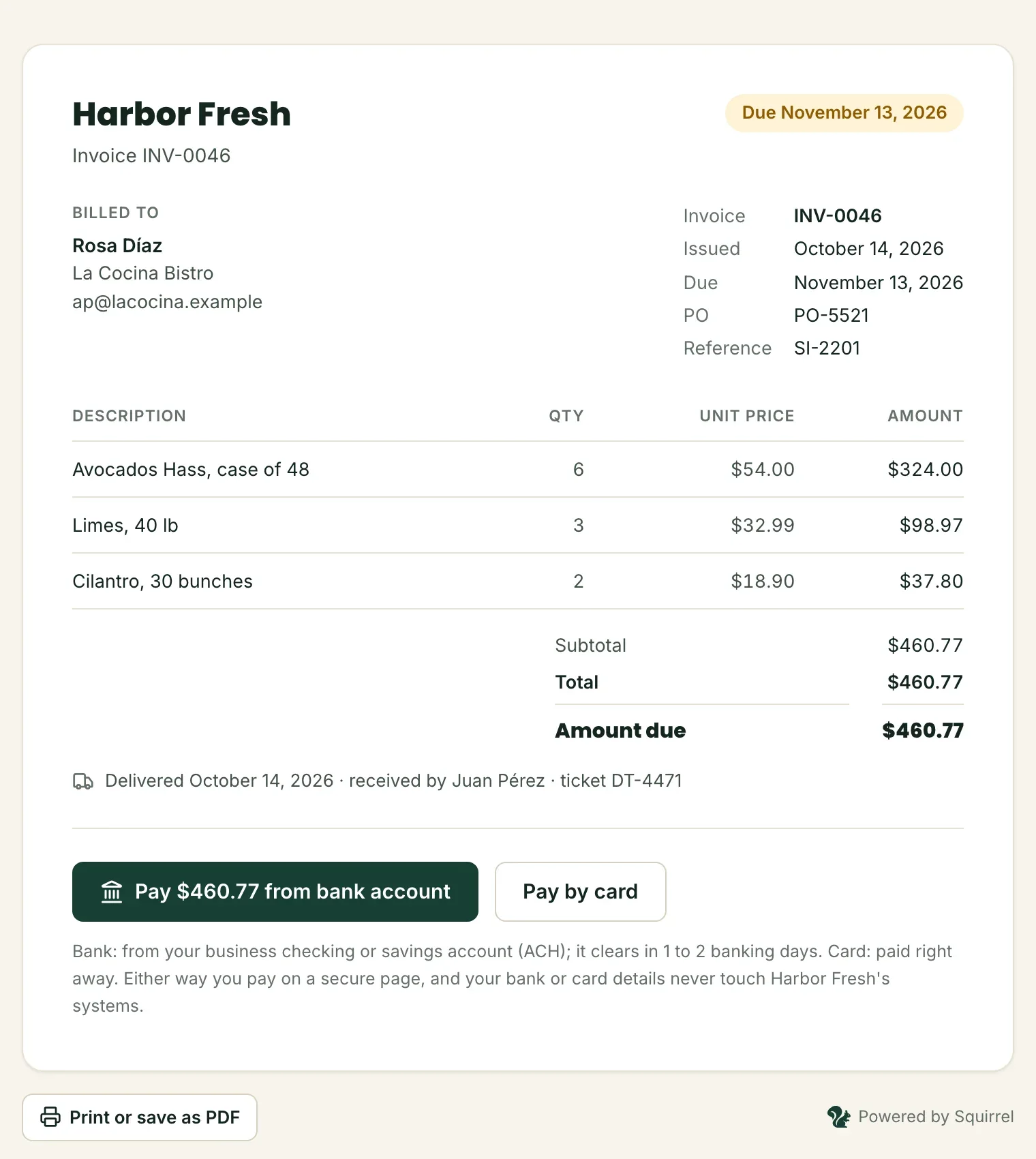
Each invoice goes out by email with a link to its own page: the lines, the terms, what's been paid, and the buttons to pay what's owed.
- Paid by card right away, or from their bank account for a small fee
- Part payments when you allow them, with the balance always in view
- The delivery on file (the day and who signed) printed on the invoice
- Printable, and saved as a PDF in one click
Everything an invoice needs
Made for how distributors bill.
Your terms
Due on receipt, Net 15, 30, 45 or 60, or a date you pick.
Your numbers
Your own invoice number and the customer's PO on every invoice, so your books and Squirrel match.
Reminders, sent for you
3 days before the due date, on the day and a week late. Not while a bank payment is on its way.
Part payments
Let a customer pay part now and the rest later, and see the balance on the invoice.
Checks and transfers too
Got paid another way? Record it, and the invoice and your receivables stay right.
Tax
A sales tax percent on the subtotal, worked out to the cent.
Told when it's paid
An email to your owners and admins when an invoice is paid in full, and an event for your systems.
Proof of delivery
The day, who signed and the ticket number, kept with the invoice for any dispute.
In and out by CSV
Bring the day's invoices in from a file, and take your receivables out for your accountant.
Import
Bring in the whole day's invoices at once.
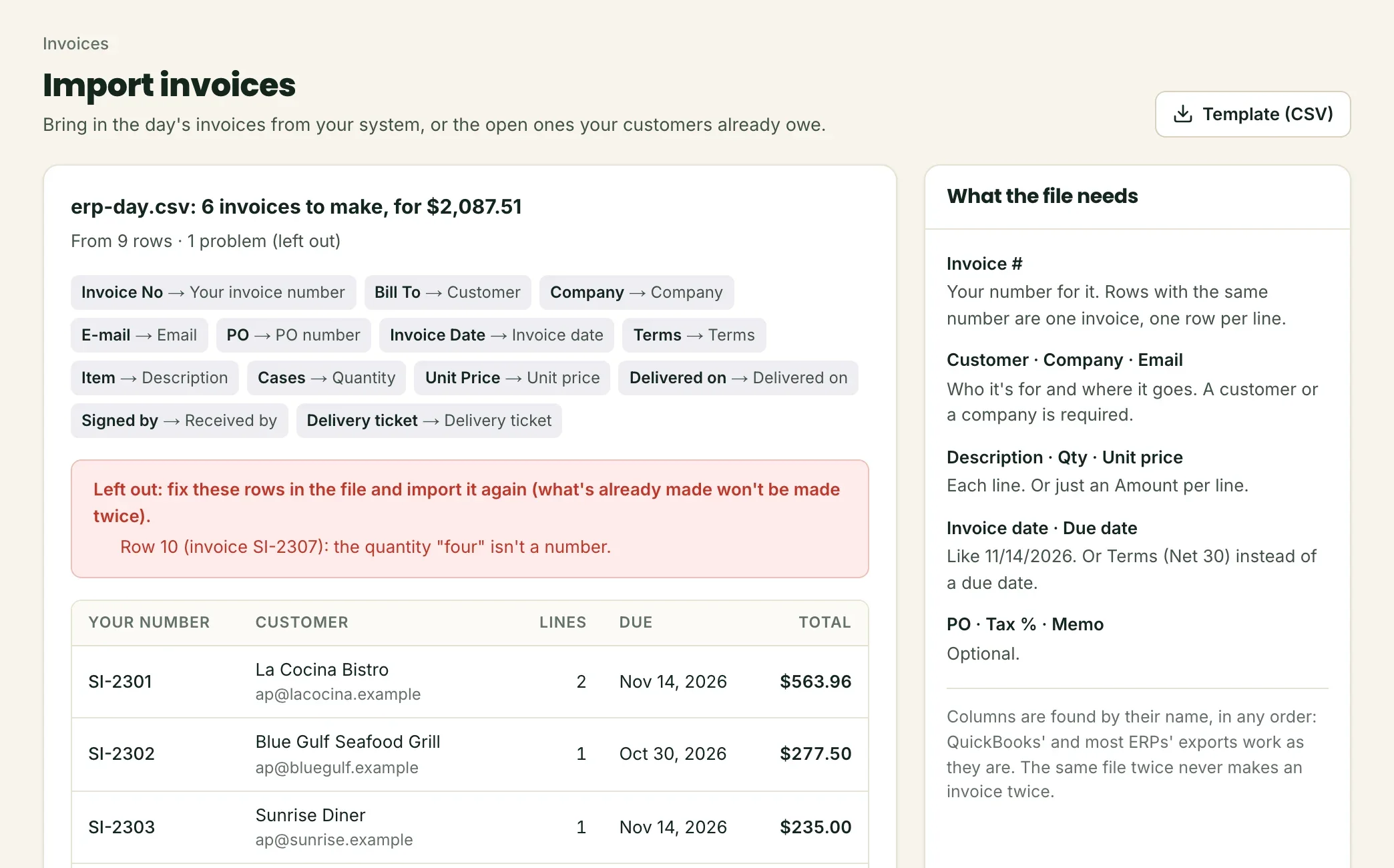
Export the day's invoices from your ERP, QuickBooks or a spreadsheet, and upload the CSV. Squirrel shows you what it will make before it makes anything.
- Columns found by their name, in any order: Invoice #, Customer, Qty, Unit price, Due date…
- One row per line: rows with the same invoice number become one invoice
- Rows that aren't invoices, like payments, are left out, and rows with a problem are listed with why
- Your invoice number is checked: the same file twice never bills a customer twice
Receivables
Know who owes you, and how late.
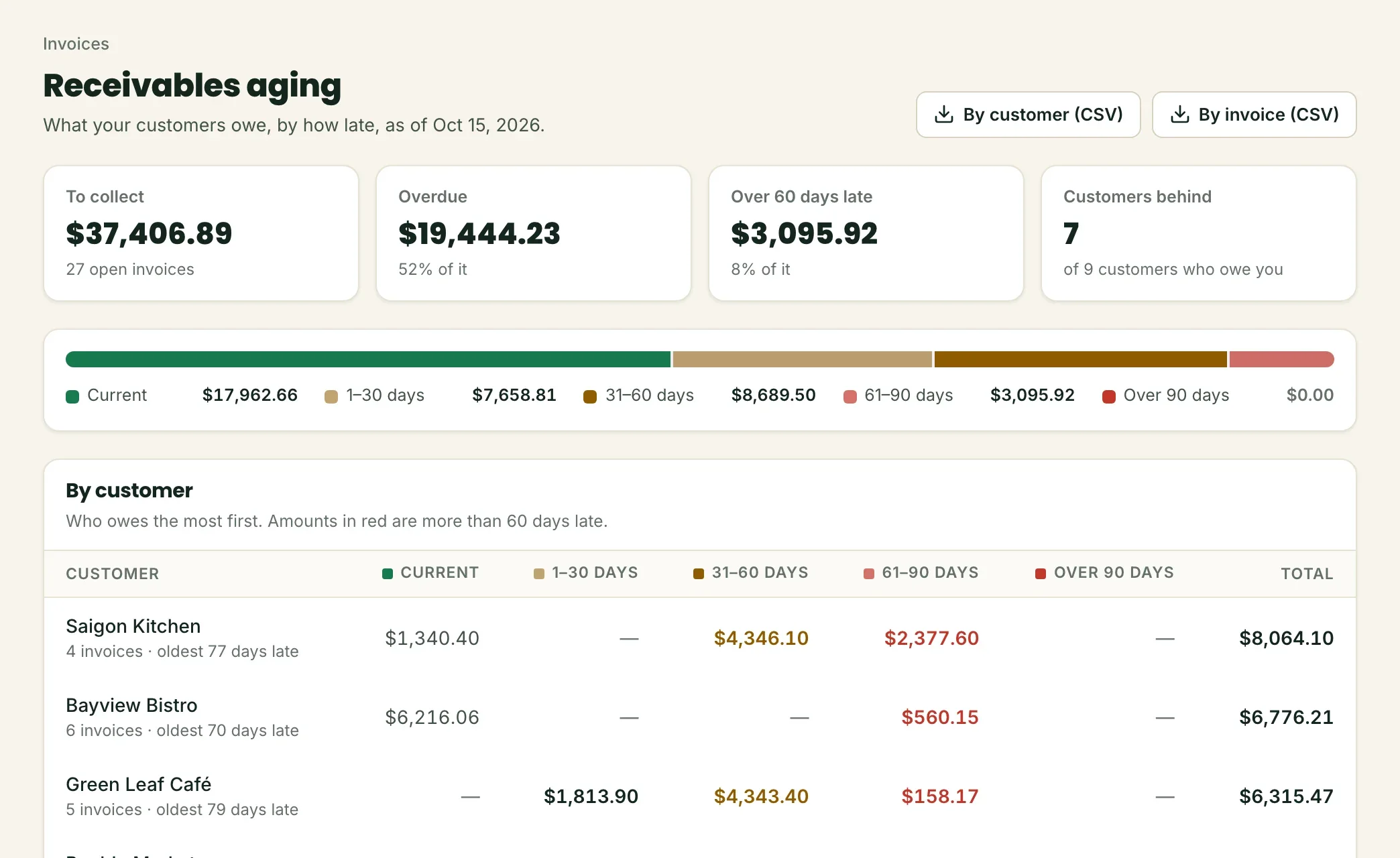
Your receivables aging, always current: what's due, 1 to 30, 31 to 60, 61 to 90 and over 90 days late, by customer and by invoice.
- The total to collect and what's overdue, right on your home screen
- Who to call first: the customers who owe the most, and their oldest invoice
- A bank payment on its way doesn't count as owed
- A CSV for your accountant, by customer or by invoice
Invoices from your ERP, through the API.
Create, send and void invoices, record deliveries, and hear the moment one is paid, from your own system.
Guides
Net 30 invoices: how to get B2B invoices paid on time
What Net 30 and other payment terms mean, why B2B invoices get paid late, what an invoice that gets paid includes, and a reminder schedule that works.
Read the guideHow to read an accounts receivable aging report
What an AR aging report shows (current, 1-30, 31-60, 61-90 and 90+ days), the numbers to watch, how to calculate DSO, and what to do about each bucket.
Read the guideReady when your next invoice is.
Apply in about 10 minutes. Your answers save as you go, and you see your rates before you submit.