
Business payments
Make every payment count.
Squirrel gets businesses that sell to businesses paid. Send the invoice, let your customer pay by card or straight from their bank, see who’s late, and keep the proof that wins a dispute.
- Net 15, 30 or 60 invoices
- Card or bank, on one page
- Card numbers never touch you
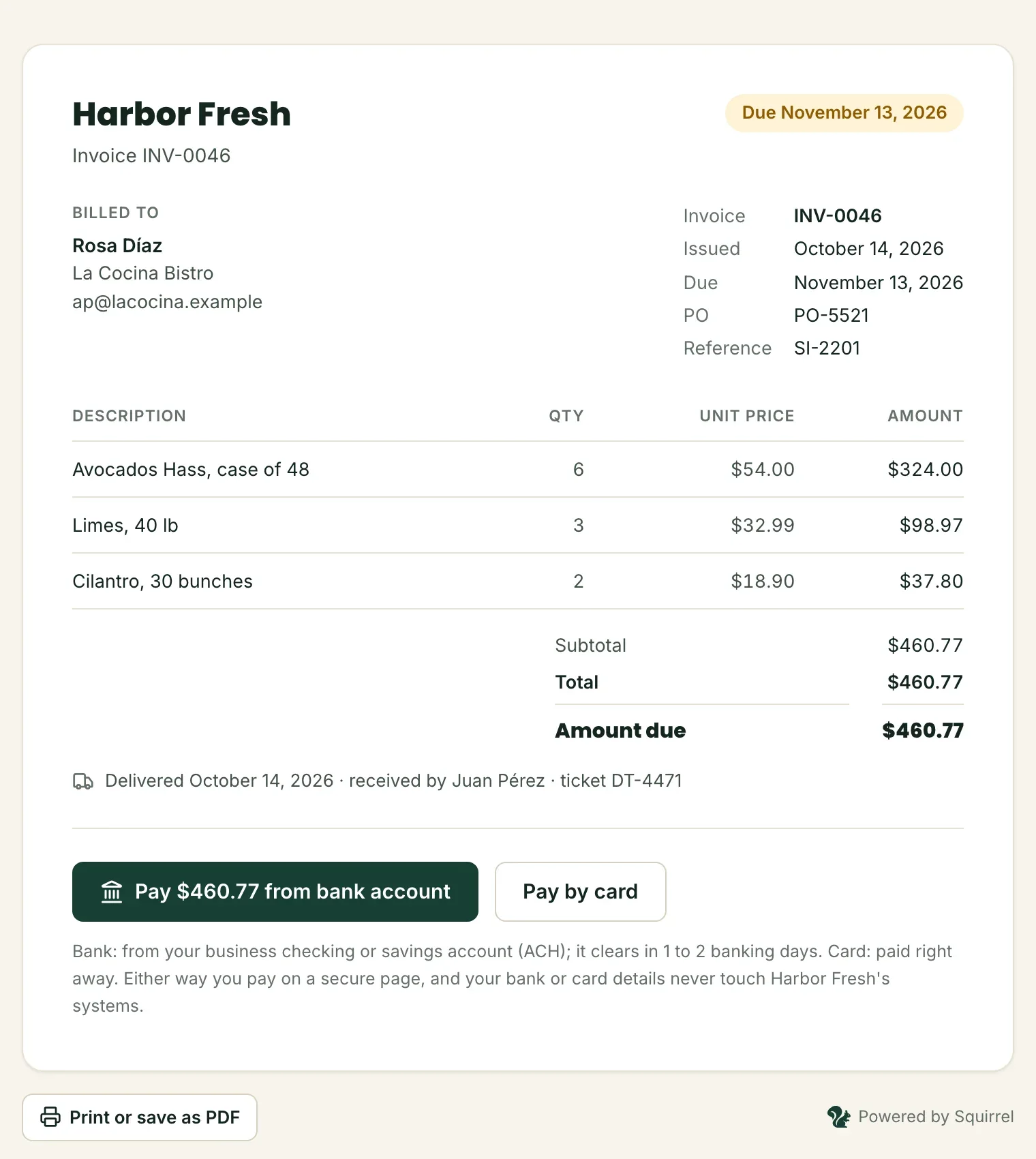
Paid from the bank
INV-0046 · $460.77
La Cocina Bistro · cleared in 1 banking day
One place for order to cash
From the invoice to the money in your bank.
Squirrel covers everything after the delivery: billing the customer, taking the payment the way they want to pay, following up on what's late, and answering when a payment is disputed.
Invoicing
Invoices with your terms and your own numbers, and reminders that go out on their own.
Learn morePayments
Cards, bank payments and payment links, on one secure page your customer trusts.
Learn moreReceivables
What every customer owes, by how late, and the file your accountant asks for.
Learn moreDisputes
Every deadline in view, and an answer prepared from the payment's own evidence.
Learn moreInvoicing
Invoices that get paid on time.
Send one in a minute, or bring in the whole day's invoices from your system. Your customer gets an email with the invoice and a page to pay it, by card or from their bank account.
- Terms from due on receipt to Net 60, with tax, PO numbers and your own invoice numbers
- Reminders 3 days before the due date, on the day and a week late, sent for you
- Part payments when you allow them, and checks you receive recorded by hand
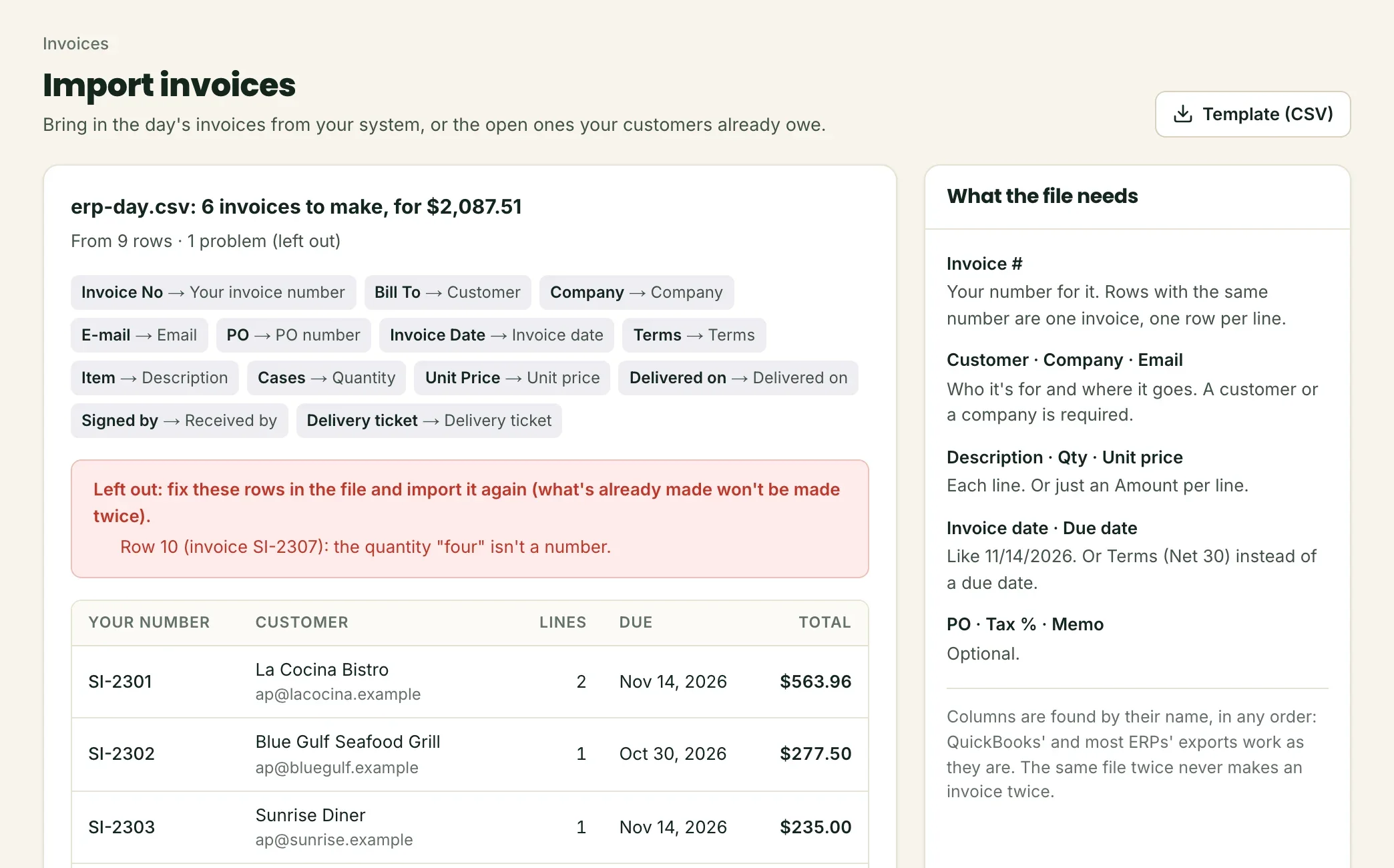
- Import a CSV from Excel, QuickBooks or your ERP: the same file twice never bills twice
Receivables
Know who owes you, and how late.
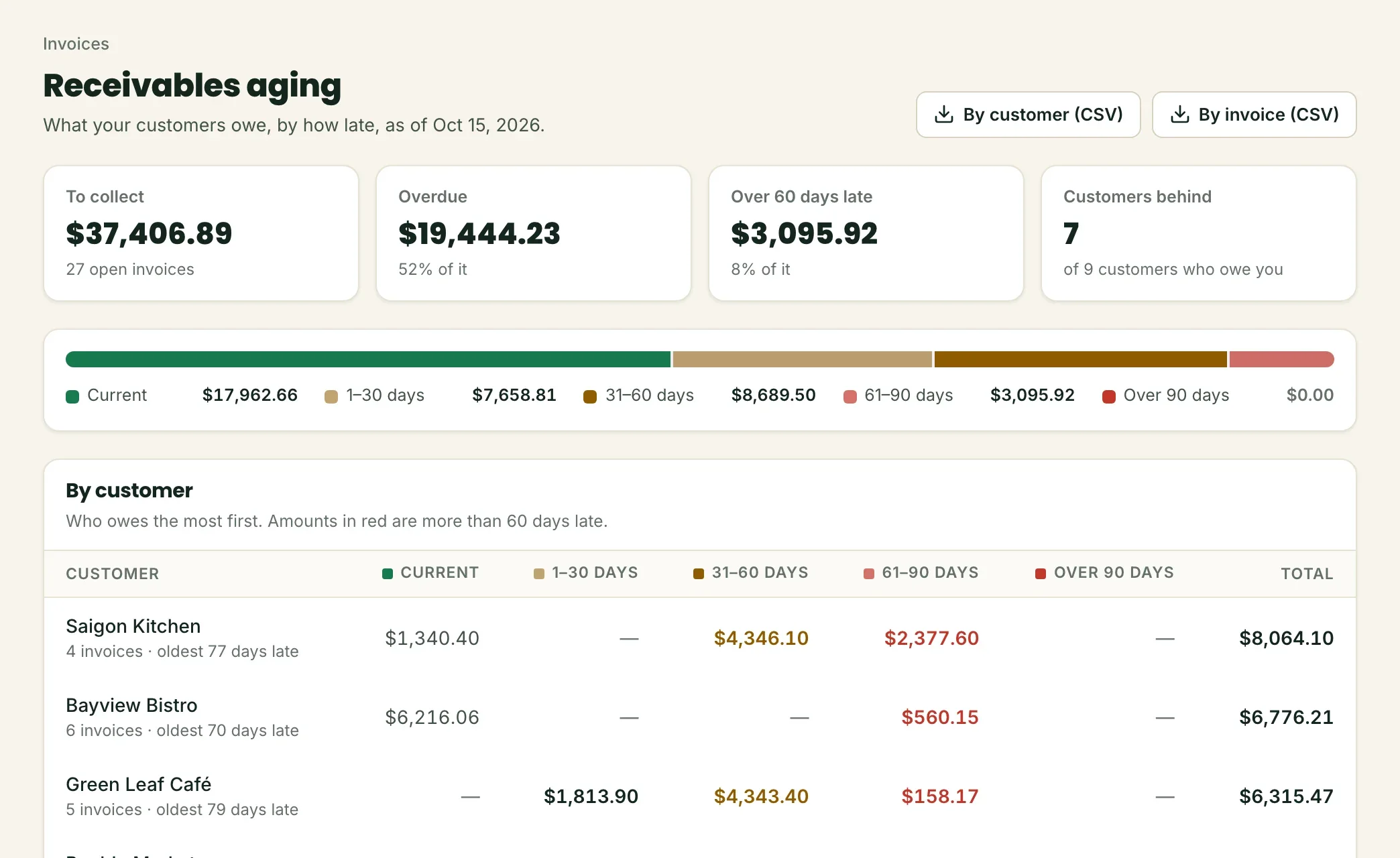
Your receivables aging, always current: what's due, 1 to 30, 31 to 60, 61 to 90 and over 90 days late, by customer and by invoice.
- The total to collect and what's overdue, on your home screen
- Who to call first: the customers who owe the most, and the oldest invoice of each
- A bank payment on its way doesn't count as owed, and doesn't trigger a reminder
- One click for the CSV your accountant asks for, by customer or by invoice
Card or bank
Big invoices, small fees.
A card payment costs a percentage of the invoice. A bank payment costs a small fee per payment. Your customer picks on the invoice's page; on the invoices that matter, the difference is real.
One $12,000 invoice
With Pass the Fee your customer covers the card fee on credit cards, shown before they pay. Surcharge rules change from state to state; we set it up with you so it fits them.
How payments workDisputes
Win the “it never arrived” dispute.
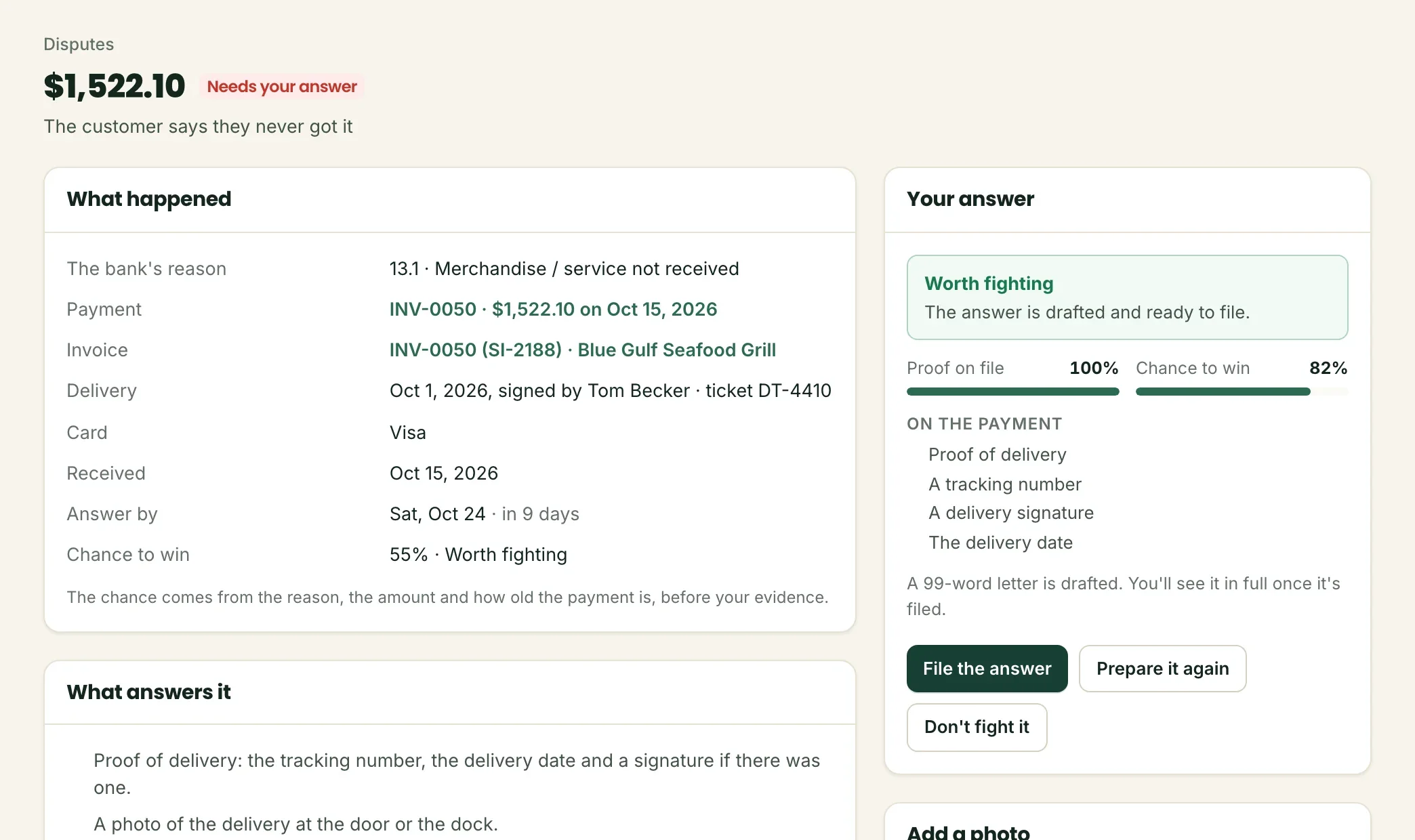
When a customer's bank takes a payment back, Squirrel shows the deadline, the reason in plain words and your chance to win, then prepares the answer from the payment's own evidence.
- Record each delivery (the day, who signed, the ticket) and it travels with the card payment
- An email when a dispute arrives, and another 3 days before its deadline
- File the answer in one click, or let it go and stop the reminders
Your home screen
What came in, what’s owed, and what needs you today.
Payments, refunds, disputes to answer and money still to collect, for everyone on your team, on any screen.
- Current$17,501.89
- 1–30 days$7,658.81
- 31–60 days$8,689.50
- 61–90 days$3,095.92
- Over 90 days$0.00
An example: a distributor’s open invoices, by how late.
Who it's for
Built for businesses that deliver.
Squirrel is made for companies that sell to other companies and get paid after the work is done.
Food & beverage distributors
Restaurants and stores on Net 15 or Net 30, deliveries every week, and a dispute now and then about what arrived.
Wholesale & supply
Large invoices paid by business card or from the bank, purchase orders, and customers who pay part at a time.
B2B services
Recurring invoices for maintenance, logistics or installation, with reminders that go out without you.
Developers
Plug it into your ERP.
Everything in Squirrel has an API: create and send invoices from your own system, take payments on your checkout, and hear about every payment, invoice and dispute on your webhook.
- API keys for each business, shown once and stored only as a fingerprint
- Signed webhook events, retried for days until your system answers
- Idempotency keys, clear limits, and your latest calls in your panel
- Your own invoice numbers, so your ERP and Squirrel always match
# Bill a customer: the invoice is emailed, with a page to pay it
curl https://app.keepsquirrel.com/api/v1/invoices \
  -u sq_live_…: \
  -H "Content-Type: application/json" \
  -d '{"customer": {"name": "María López", "email": "ap@casamaria.example"},
       "lines": [{"description": "Avocados Hass, case of 48",
                  "quantity": 6, "unit_amount": 5400}],
       "reference": "SI-104233", "days_until_due": 30,
       "send": true}'
Pricing
Priced for your business, and less on big invoices.
What a card costs depends on your volume and the cards your customers use. Tell us about yours and we'll send you your rates.
Security
Built so card numbers never touch you.
Your finance team can say yes to Squirrel: card numbers and bank details stay with our licensed payment partners, and your money never passes through us.
Card numbers never touch you
Your customers type them on our payment partner's secure page. They never reach your systems, or ours.
Two-step sign-in and roles
Sign in with a password and an authenticator app, and give your team the right role: owner, admin or view only.
Everything on the record
Sign-ins, refunds, price changes and exports are written to an activity log, with who did it and when.
Watched around the clock
Squirrel checks itself and its payment partners every five minutes, and our team hears about any problem.
Who is Squirrel for?
How do my customers pay?
When does a bank payment count as paid?
Is Squirrel a bank?
Does it work with our ERP or QuickBooks?
How do we start?
Ready when your next invoice is.
Apply in about 10 minutes. Your answers save as you go, and you see your rates before you submit.